OCEANS™ SUSTAINABILITY
From operational records to credible climate reporting
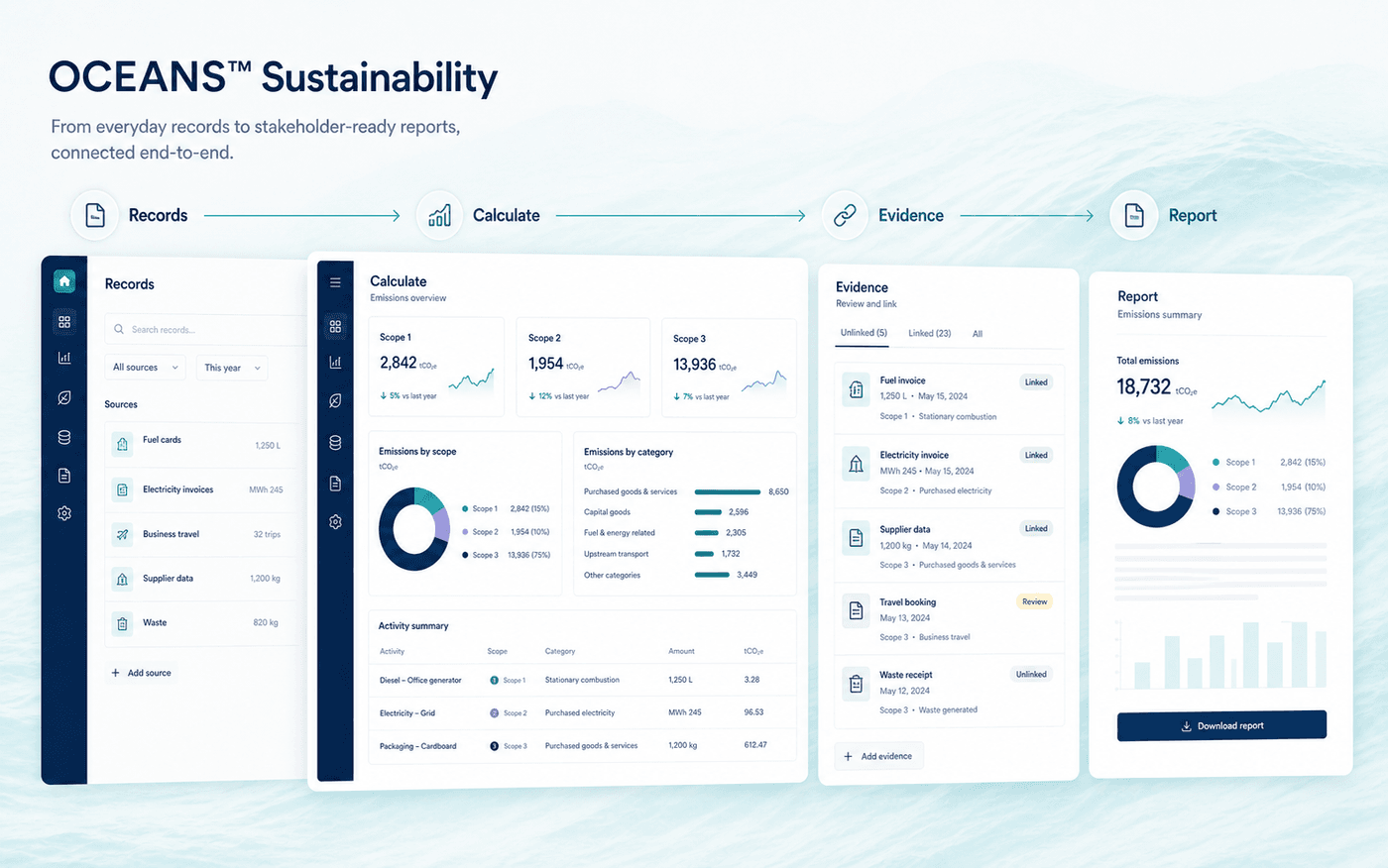
OCEANS™ Sustainability is carbon-accounting software connecting operational records, Scope 1, 2 and 3 emissions calculations, supporting evidence, and reporting workflows for growing US manufacturers.
Founding Design Partner Program now open. Collect data. Calculate emissions. Verify evidence. Prepare reports.
Founder-led questionnaire support is available now. See the EcoVadis/OEM response sprint — platform access is currently through the Founding Design Partner Program above.
Scope 1
Direct emissions from sources your company owns or controls.
Scope 2
Emissions from purchased electricity, steam, heating, and cooling.
Scope 3
Relevant emissions across your upstream and downstream value chain.
The problem
Your carbon footprint should not depend on disconnected spreadsheets
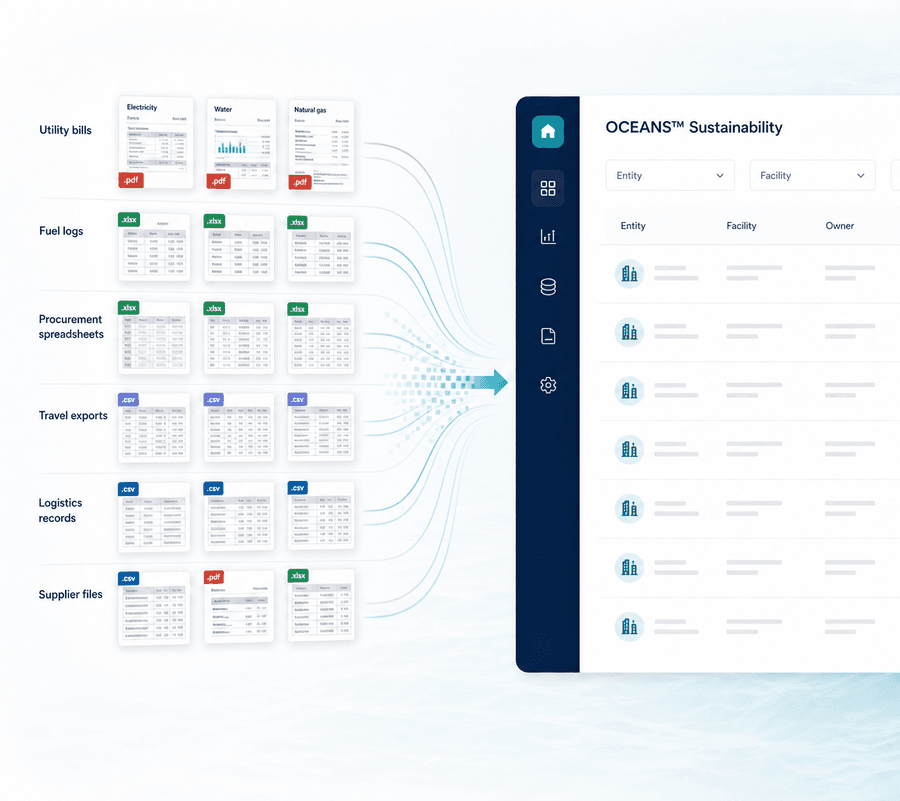
Emissions data rarely begins in one place. It is distributed across utility bills, procurement records, travel reports, logistics data, supplier files, and internal systems.
Managing this information manually makes calculations difficult to repeat, review, and explain. OCEANS™ Sustainability creates a structured workflow for turning fragmented business data into usable emissions information.
Scattered data
Important environmental and operational records are distributed across teams, systems, and file formats.
Unclear calculations
Teams struggle to trace reported emissions back to their original records, factors, and assumptions.
Repetitive reporting
The same information must be collected and reformatted repeatedly for customers, management, and reporting requests.
How OCEANS™ Sustainability works
One connected process from data collection to reporting
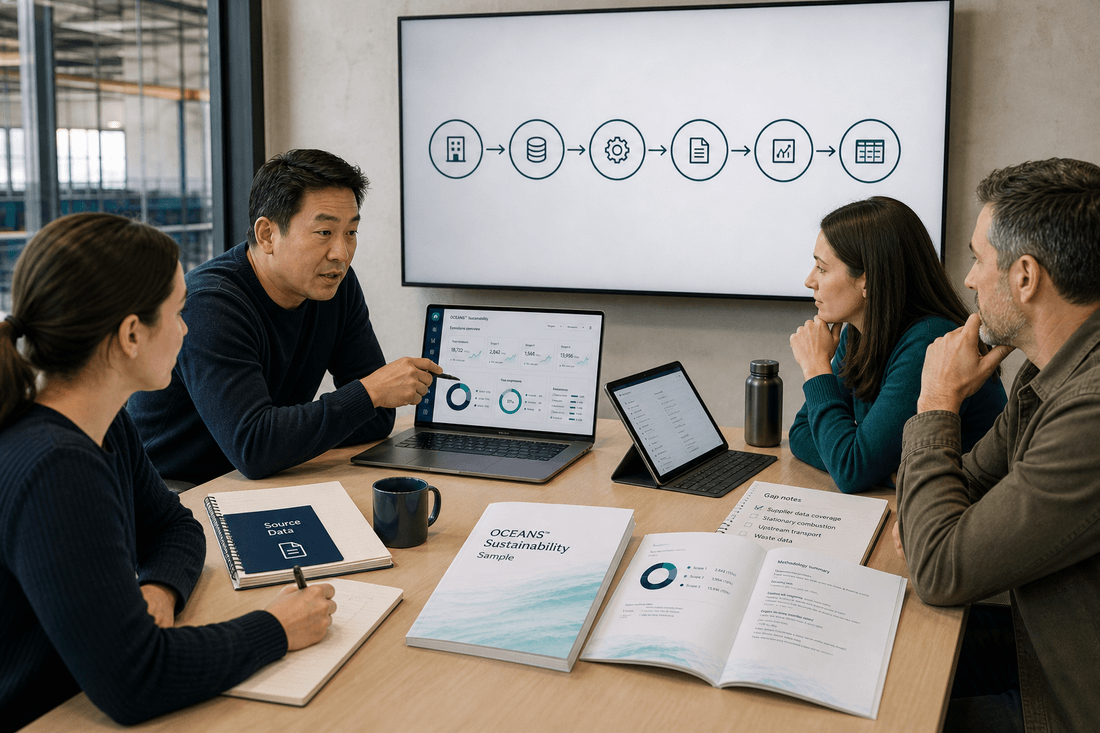
OCEANS™ Sustainability helps your team manage each stage of carbon accounting without losing the connection between source data, calculations, evidence, and reported results.
Connect Data
Connect Data
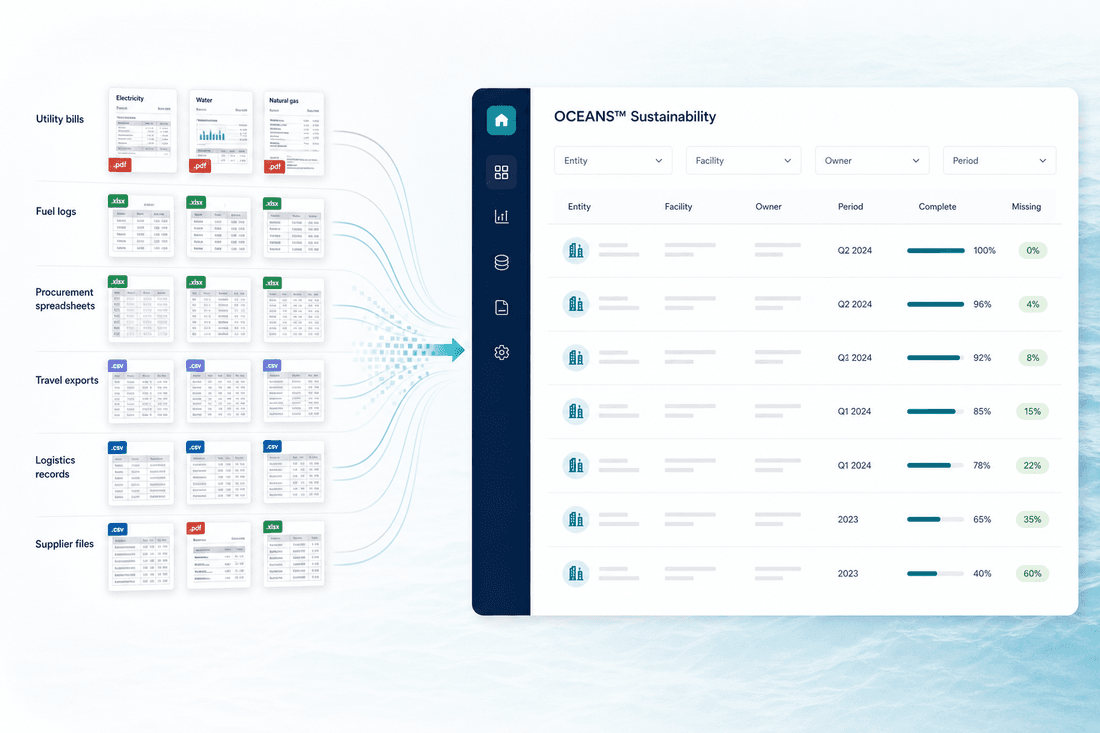
Bring utility, fuel, procurement, travel, waste, logistics, and supplier information into a structured workspace.
- Import existing business records
- Organize data by entity, facility, and reporting period
- Assign responsibility across teams
- Identify missing information
Calculate Emissions
Calculate Emissions
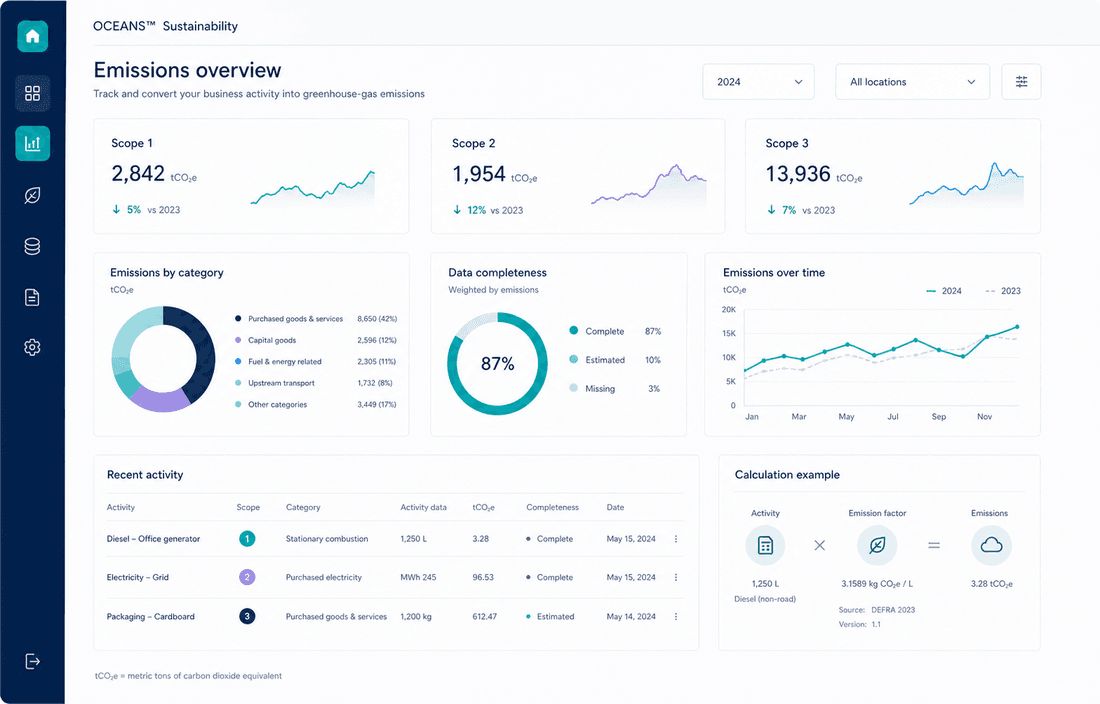
Convert business activities into Scope 1, 2, and 3 greenhouse-gas emissions using documented calculation methods.
- Categorize activities across emissions scopes
- Apply relevant emission factors
- Record assumptions and estimates
- Compare results across periods
Verify Evidence
Verify Evidence
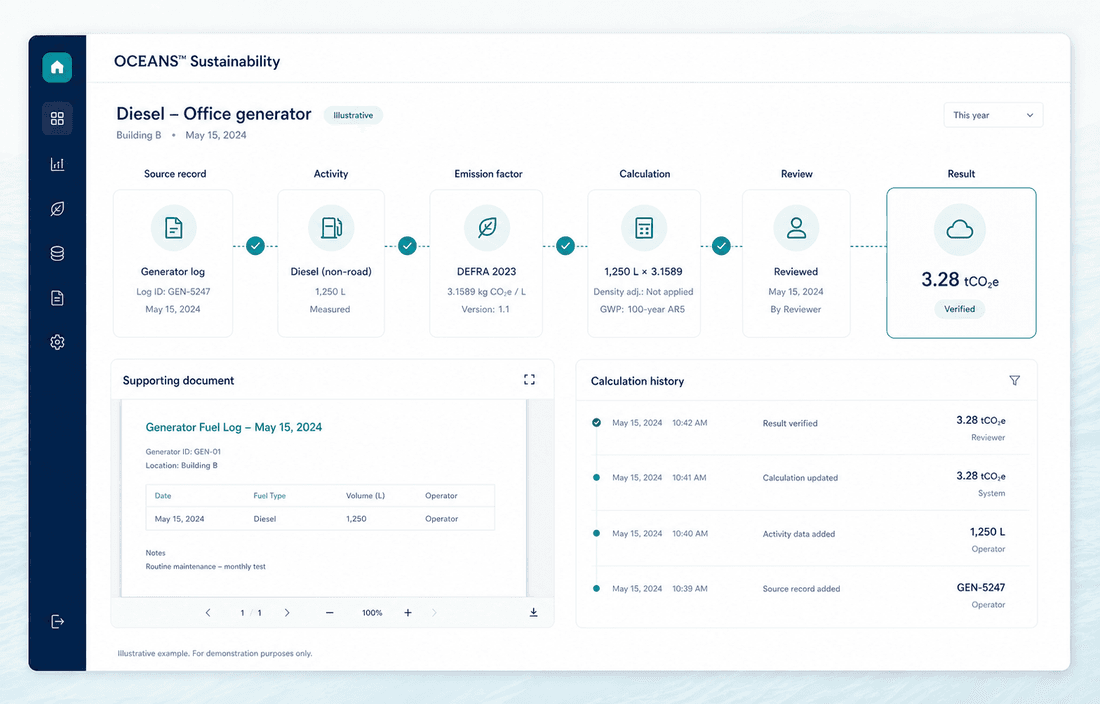
Maintain the connection between reported results and their supporting records.
- Attach supporting documents
- Trace calculations to source data
- Flag information requiring review
- Preserve calculation history
Prepare Reports
Prepare Reports
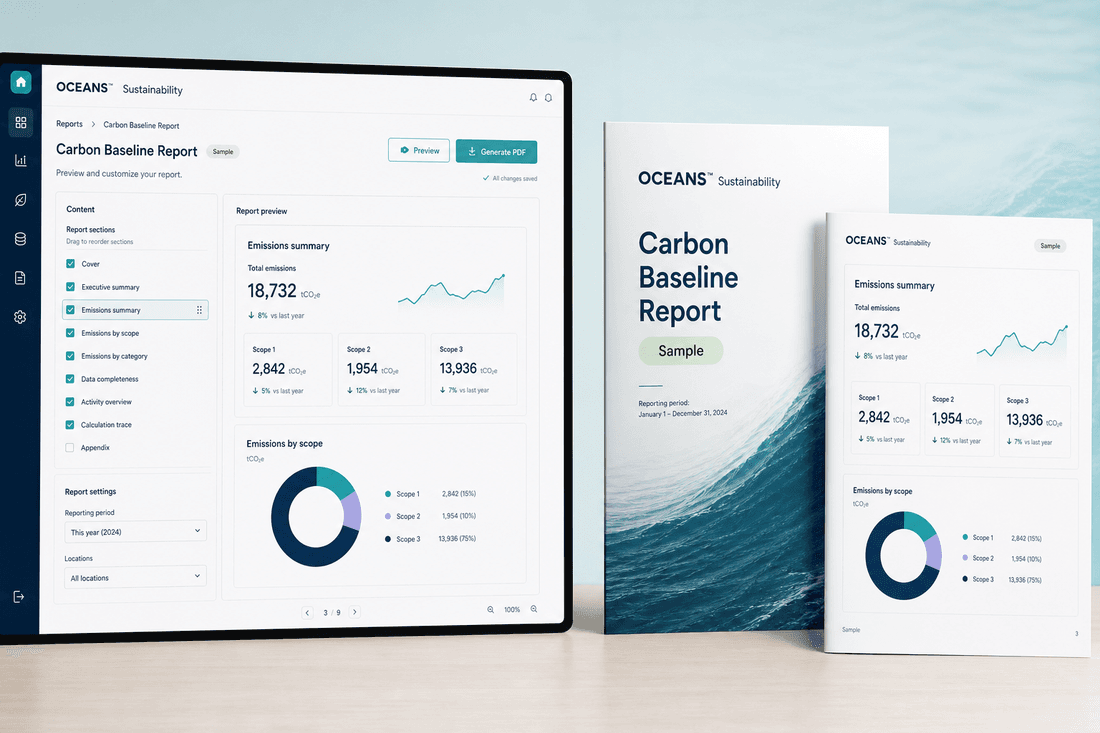
Transform reviewed emissions information into clear outputs for internal and external stakeholders.
- Create management-ready summaries
- Export structured emissions data
- Reuse validated information
- Support customer and reporting requests
Beyond reporting
A reported inventory is a starting point, not an end point
Once Scope 1, 2, and 3 results are reported, the next questions are usually about suppliers and reduction options — not another reporting cycle from scratch.
Next
Supplier engagement
Identify which suppliers and categories carry the data gaps that materially affect the result, and request the smallest set of information that would improve it.
Explore Scope 3 and supplier dataThen
Reduction scenarios
Compare potential sourcing, material, and logistics changes against a documented baseline, with assumptions and data gaps stated explicitly.
Explore supplier decarbonization planningOngoing
Follow-up
Track which suppliers responded, which assumptions still need better data, and which reduction options have an assigned owner for the next reporting cycle.
Discuss where you'd startKeep the number and the evidence together
A carbon total is only useful when your team can understand how it was produced.
OCEANS™ Sustainability preserves the relationship between business activity, emission factors, calculation methods, assumptions, supporting documents, and final results. This gives stakeholders greater visibility into the information behind the reported footprint.
- Source record
- Activity data
- Emission factor
- Calculation
- Review
- Result
Emissions management
Understand emissions across your operations and value chain
Scope 1
Track direct emissions from company-controlled sources, including stationary combustion, company vehicles, and refrigerants.
Scope 2
Calculate emissions associated with purchased electricity, heating, cooling, or steam.
Scope 3
Organize relevant value-chain emissions such as purchased goods, business travel, transportation, waste, and supplier activity.
OCEANS™ Sustainability helps teams progressively improve coverage and data quality instead of waiting for every input to be perfect.
Carbon accounting is a team process
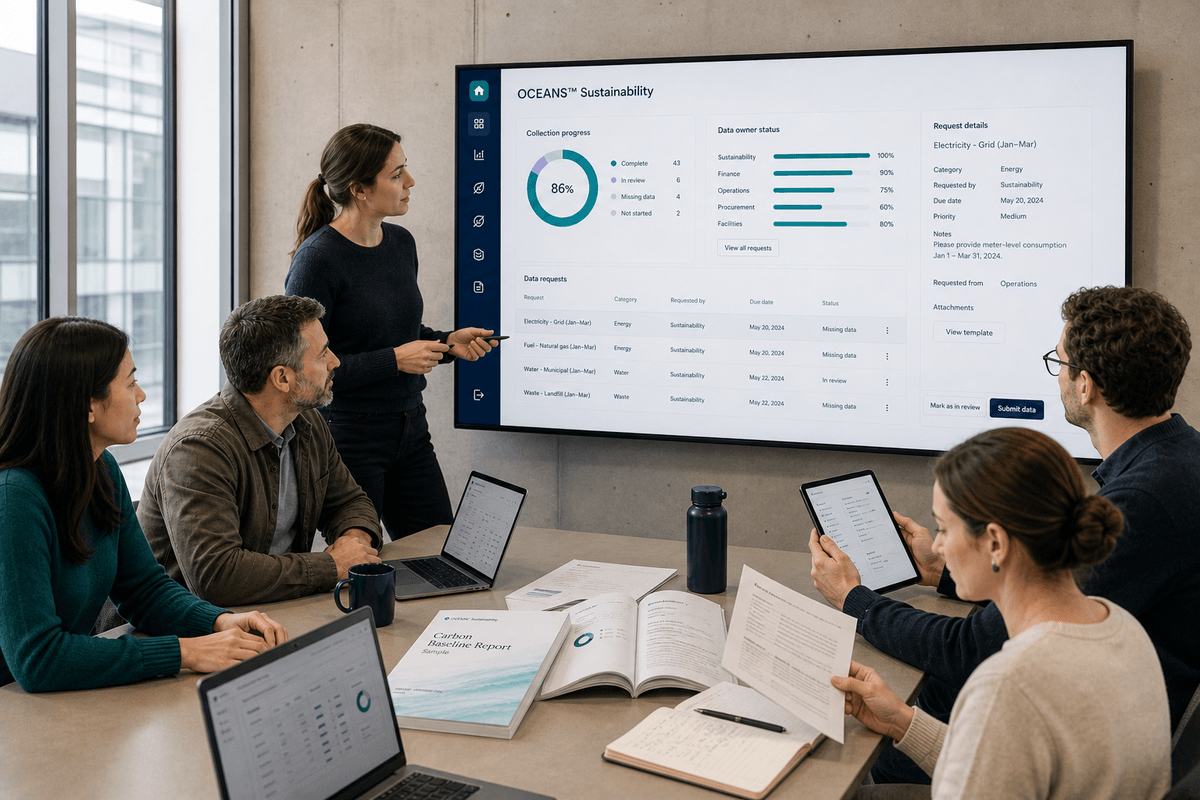
Sustainability information often depends on finance, operations, procurement, facilities, travel, and suppliers. OCEANS™ Sustainability provides a shared workflow so contributors can provide data while the sustainability team retains visibility and control.
- Assign data owners and reviewers
- Monitor collection progress
- Request missing records
- Document assumptions and decisions
- Reduce spreadsheet version confusion
Move from collecting data to using it
OCEANS™ Sustainability helps growing companies establish a carbon-accounting process that becomes more useful and repeatable over time.
Build a reliable baseline
Create a structured view of emissions across the organization.
Save reporting time
Reuse reviewed information instead of restarting for every request.
Increase confidence
Understand the sources, assumptions, and methods behind reported results.
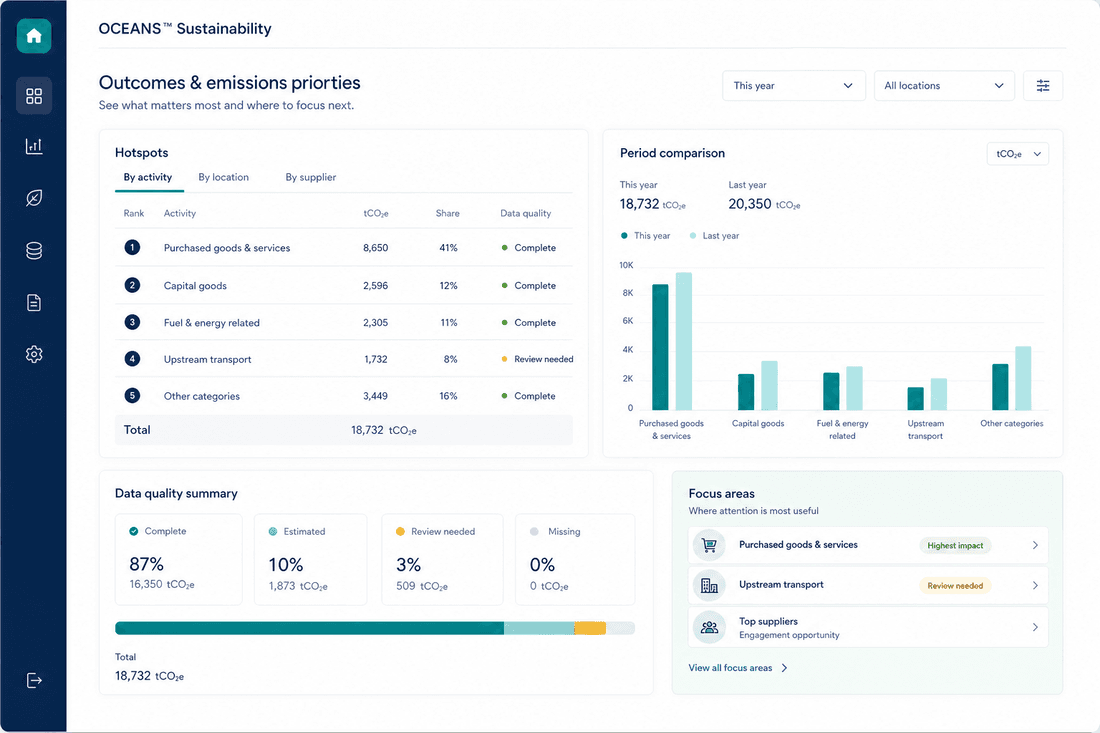
Identify priorities
Find the activities, locations, or suppliers contributing most to emissions.
Prepare for scrutiny
Maintain organized evidence and calculation histories as stakeholder expectations increase.
Fit depends on your team size, data complexity, and implementation resources
OCEANS™ Sustainability is scoped for growing companies with lean teams. Rather than claim to beat any specific approach, here are buyer questions worth asking of any option — including this one.
Can I trace the calculation?
Ask whether each result connects back to a source record, method, and documented assumption, or whether that has to be reconstructed by hand.
What does setup actually require?
Ask what data, roles, and time an approach needs before it produces a usable inventory — and whether that matches what a lean team can realistically commit.
What is working today?
Ask which features are live versus planned for any product, OCEANS™ Sustainability included — see the current availability note above.
- Designed for lean sustainability teams
- Guided implementation
- Transparent calculation workflows
- Traceable data and evidence
- Focused, practical functionality
- A platform that can mature with the customer’s program
You do not have to solve the data problem alone
Most companies begin with inconsistent files, missing information, and questions about boundaries or calculation methods.
The OCEANS™ team works with customers to understand reporting needs, organize available information, identify gaps, and establish a practical path to the first baseline.
- 1
Understand the organization and objectives
Clarify reporting needs, boundaries, and who is involved.
- 2
Map available data and identify gaps
Review existing records and flag what is missing or unclear.
- 3
Configure relevant entities and emissions categories
Set up the structure your inventory will be organized around.
- 4
Import and review initial records
Bring in available data and check it for completeness.
- 5
Calculate and validate the baseline
Produce the first Scope 1, 2, and 3 results and review them together.
- 6
Prepare outputs for stakeholders
Turn the validated baseline into reporting-ready information.
Already holding an EcoVadis or OEM sustainability questionnaire? See the EcoVadis questionnaire response sprint for U.S. manufacturers .
Questions
Frequently asked questions.
What data do I need to get started?
Whatever you already have — utility bills, fuel records, procurement data, travel bookings, supplier files, spreadsheets. OCEANS™ Sustainability is designed to work with existing records and flag gaps rather than requiring complete data before you begin.
How does a calculation stay traceable back to its source?
Each result is designed to connect to the source record, the activity data, the emission factor applied, and any assumptions used — see Verify Evidence above. That connection is what makes a number explainable, not just reportable.
How does this handle Scope 3 and supplier data specifically?
Procurement records are classified against Scope 3 categories, and supplier data requests are prioritized toward the suppliers and gaps that would materially change the result. See the Scope 3 and supplier data page for the full workflow.
Is this available to use today?
OCEANS™ Sustainability is in active product development, with access currently through the Founding Design Partner Program — see current availability below for what that means in practice.
Current availability
OCEANS™ Sustainability is in active product development. Access is currently limited to founding design partners — the workflow, screens, and outcomes described on this page are the design in progress, and any product screens shown are an illustrative preview of planned functionality. Guides, checklists, and the calculator elsewhere on this site are real and available now. Apply as a founding design partner to help test and shape this workflow as it is built.
Build a carbon-accounting process your team can repeat
See how OCEANS™ Sustainability can help connect operational data, calculate emissions, preserve supporting evidence, and prepare credible reporting outputs.